Clean your iPhone photo library without panic
Remove duplicate and similar photos without risking the ones you want to keep.
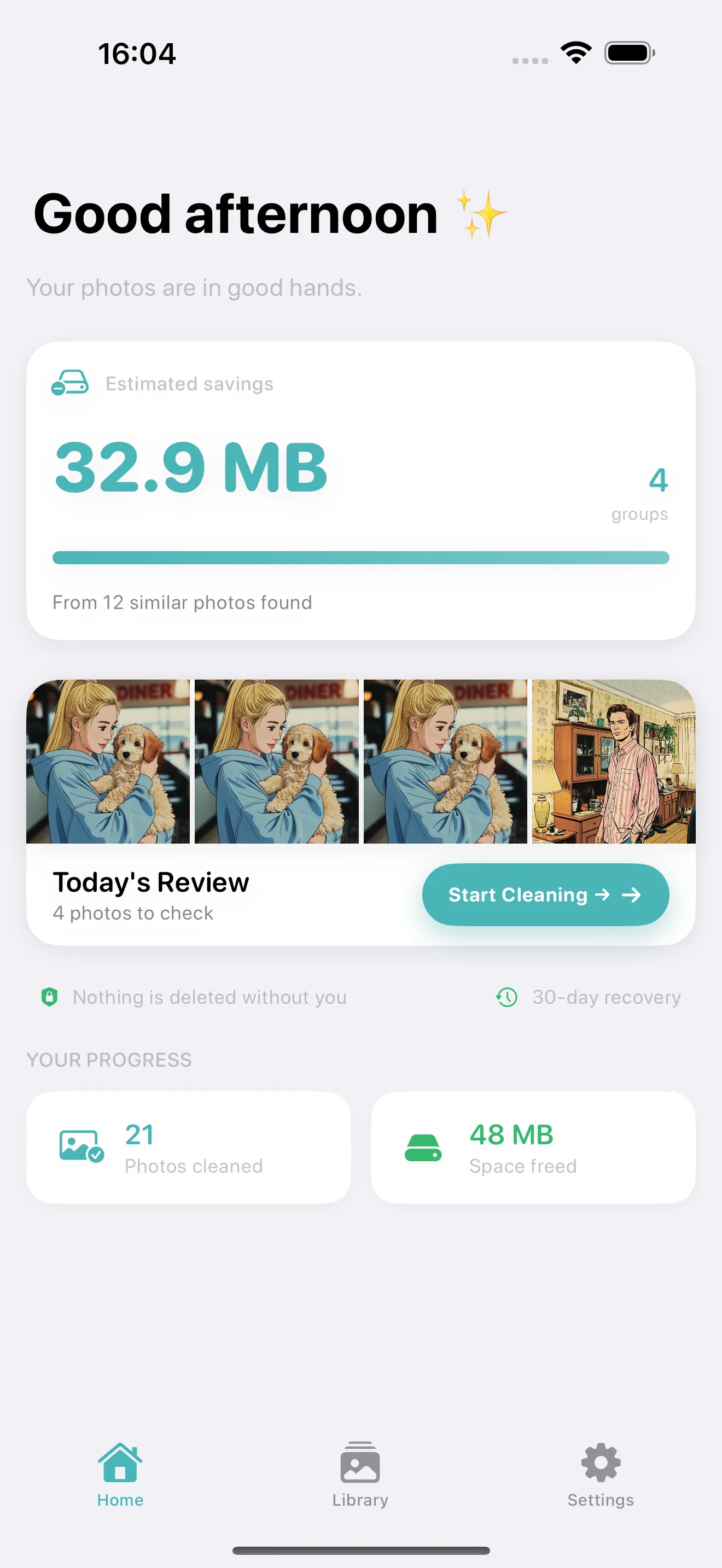
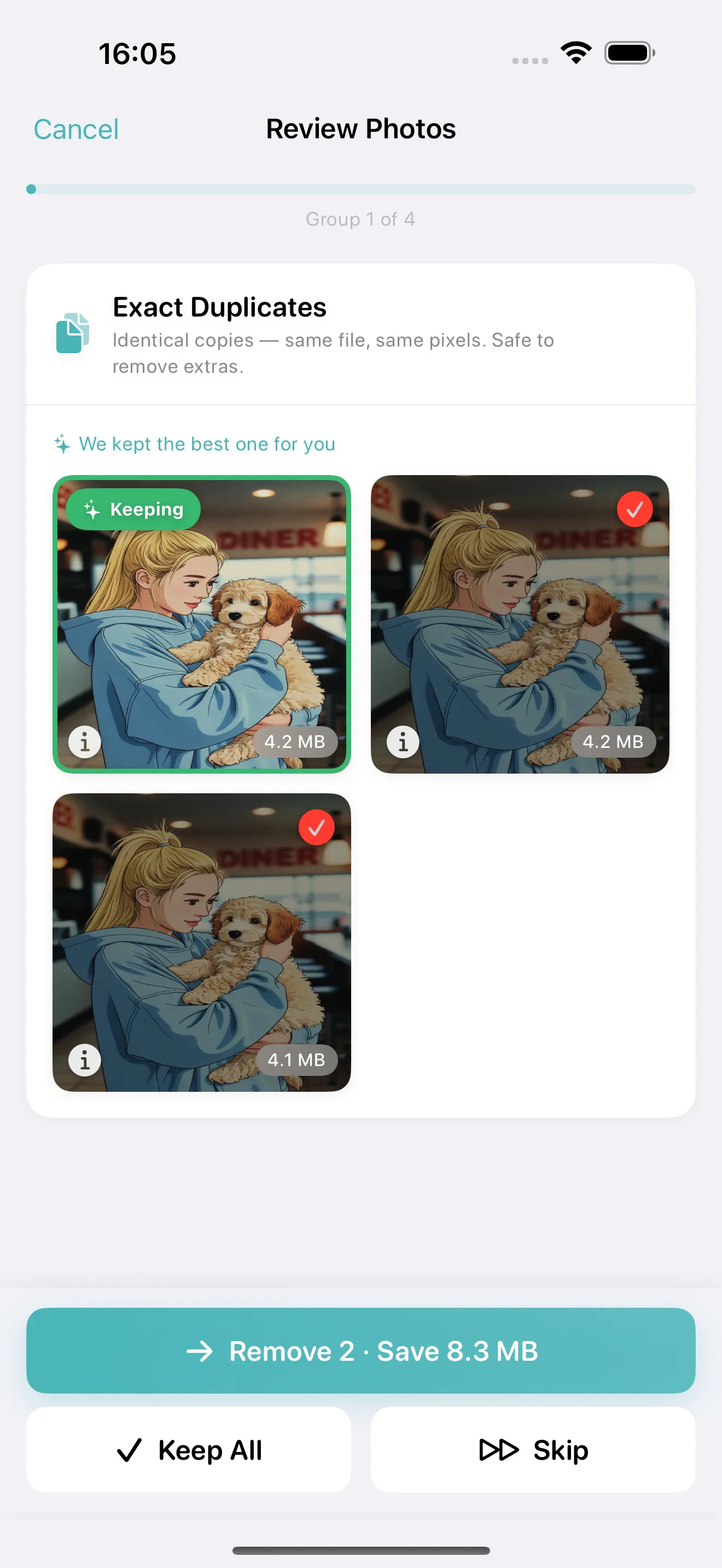
Cleanup helps you review small groups of lookalike photos, keep the best shot, and move the rest to Recently Deleted first. Everything stays on your device, and you confirm every removal.
Cleanup is an iPhone and Mac app. On iPhone it finds duplicate and similar photos, screenshots and bursts using a 4-stage on-device detection pipeline and presents one group at a time for calm review; deleted photos go to Recently Deleted for 30-day recovery. On Mac, one window holds a live memory monitor with one-click RAM free-up, junk and cache cleaning (Pro), and Review on your Mac: pair the iPhone with a code and go through its duplicates on the big screen while the photos stay on the phone. Free with one cleanup session every day (up to 10 groups); one Pro purchase covers iPhone and Mac, with Family Sharing.
On-device review. One group at a time. Recoverable for 30 days.
On-device
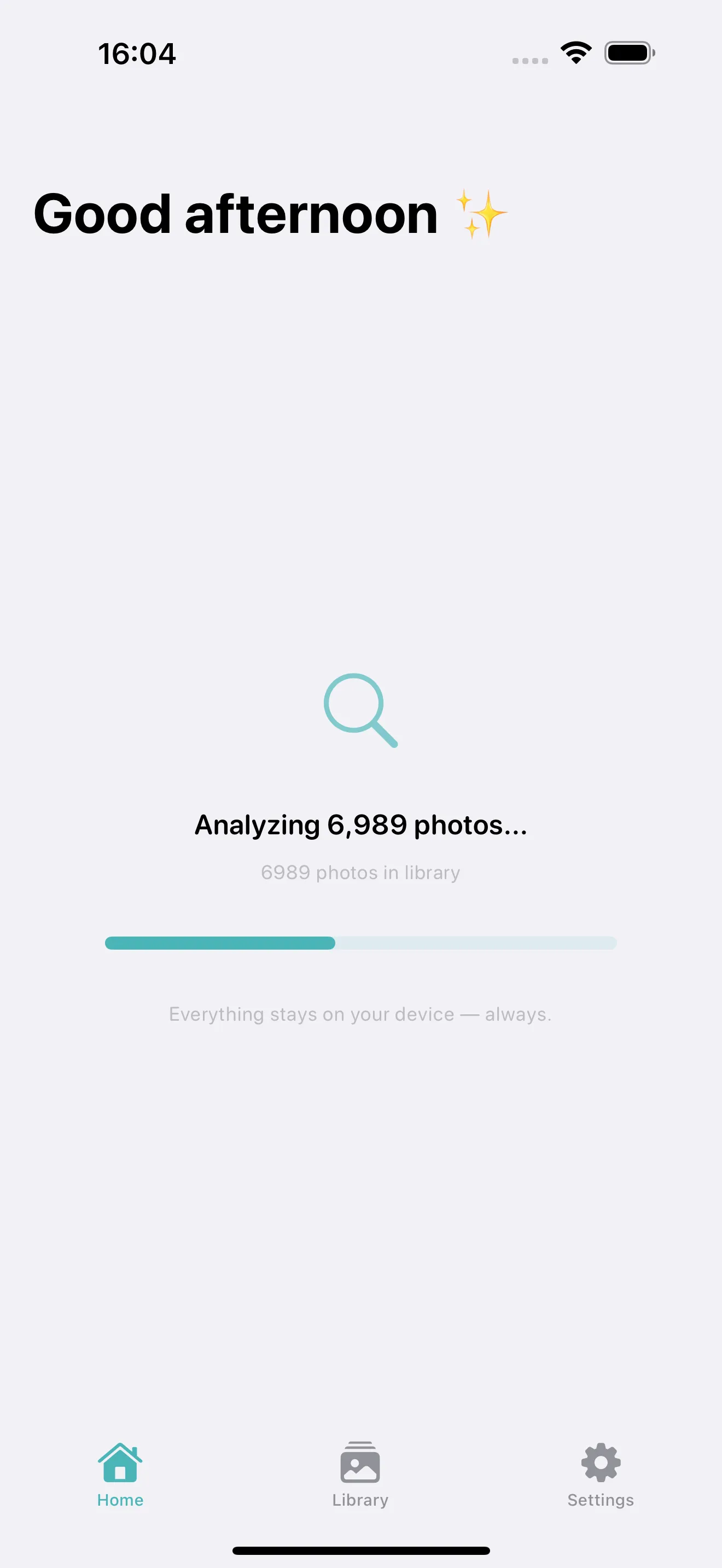
Your photos stay on your iPhone during analysis and review.
No auto-delete
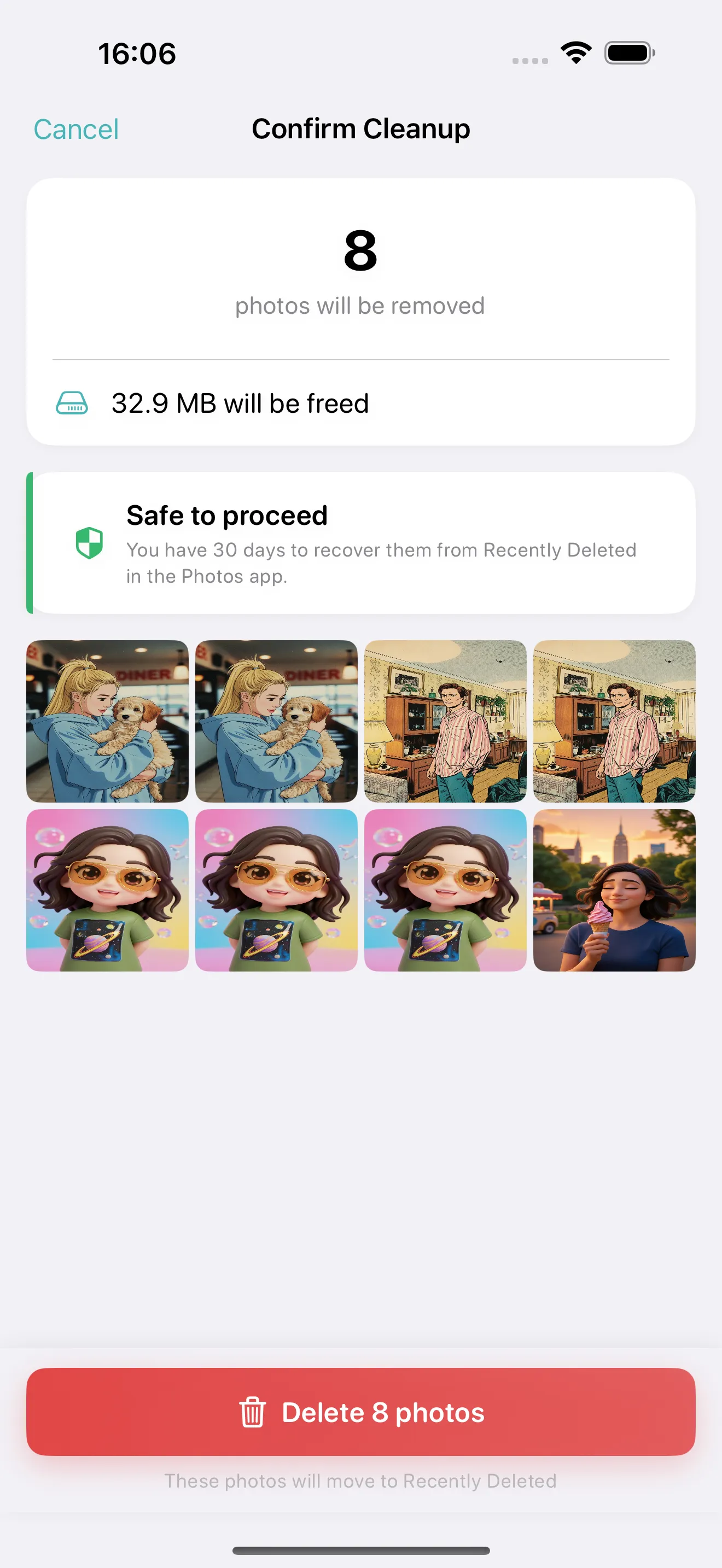
Nothing is removed until you confirm the selection yourself.
30-day recovery
Deleted photos go to Recently Deleted before permanent removal.
Small sessions
Review a few groups at a time instead of facing your whole library at once.
Your camera roll is full of near-misses.
The same moment gets captured three times. Screenshots pile up. Burst shots leave you with five versions of the same photo. Apple Photos can help with exact duplicates, but everyday clutter usually needs a calmer review flow.
Exact duplicates
Multiple copies of the same file taking up space
Similar photos
Five shots of the same moment, slightly different angles
Burst shots
Series captures that leave dozens of near-identical frames
Screenshot clutter
Saved screenshots of recipes, directions, and texts you forgot about
Three steps. No surprises.
A straightforward workflow built around safety and control.
Scan your library
Cleanup finds duplicate and similar photos directly on your device. No upload, no cloud processing.
Review one group
You compare a small set of lookalike photos and keep the best one. The app suggests which to keep based on resolution, favorites, and recency.
Confirm safely
The photos you remove go to Recently Deleted first, so you still have a 30-day recovery window.
Built for people who hesitate before deleting personal photos.
Photo cleanup should not feel reckless. That is why the app slows the process down on purpose: one group at a time, visible choices, and a clear reminder that removed photos are still recoverable in Recently Deleted.
See what is being grouped before you delete anything
Keep control of every decision
Use the 30-day safety net if you change your mind
Capable without being noisy.
Powerful duplicate detection wrapped in a calm, focused experience.
Keep the best shot
Compare duplicates and similar photos side by side so the strongest image is easier to keep.
Stay focused
Work through a few groups at a time instead of being pushed into a giant cleanup sprint.
Designed for trust
Clear safety language and deliberate review flow reduce the stress of deleting memories.
4-stage detection
Burst grouping, exact matching, near-duplicate detection, and Vision feature prints find what Apple Photos misses.
Cleanup for Mac: memory, junk and your iPhone's photos in one window.
Open Cleanup on your Mac and see Memory, Junk and Photos on iPhone side by side. The memory monitor and one-click RAM free-up are free, Pro adds junk and cache cleaning, and Review on your Mac pairs your iPhone with a six-digit code so you can go through its duplicate groups on the big screen. Your Mac sees small previews over your own network; the photos stay on the iPhone, and you confirm every removal there.
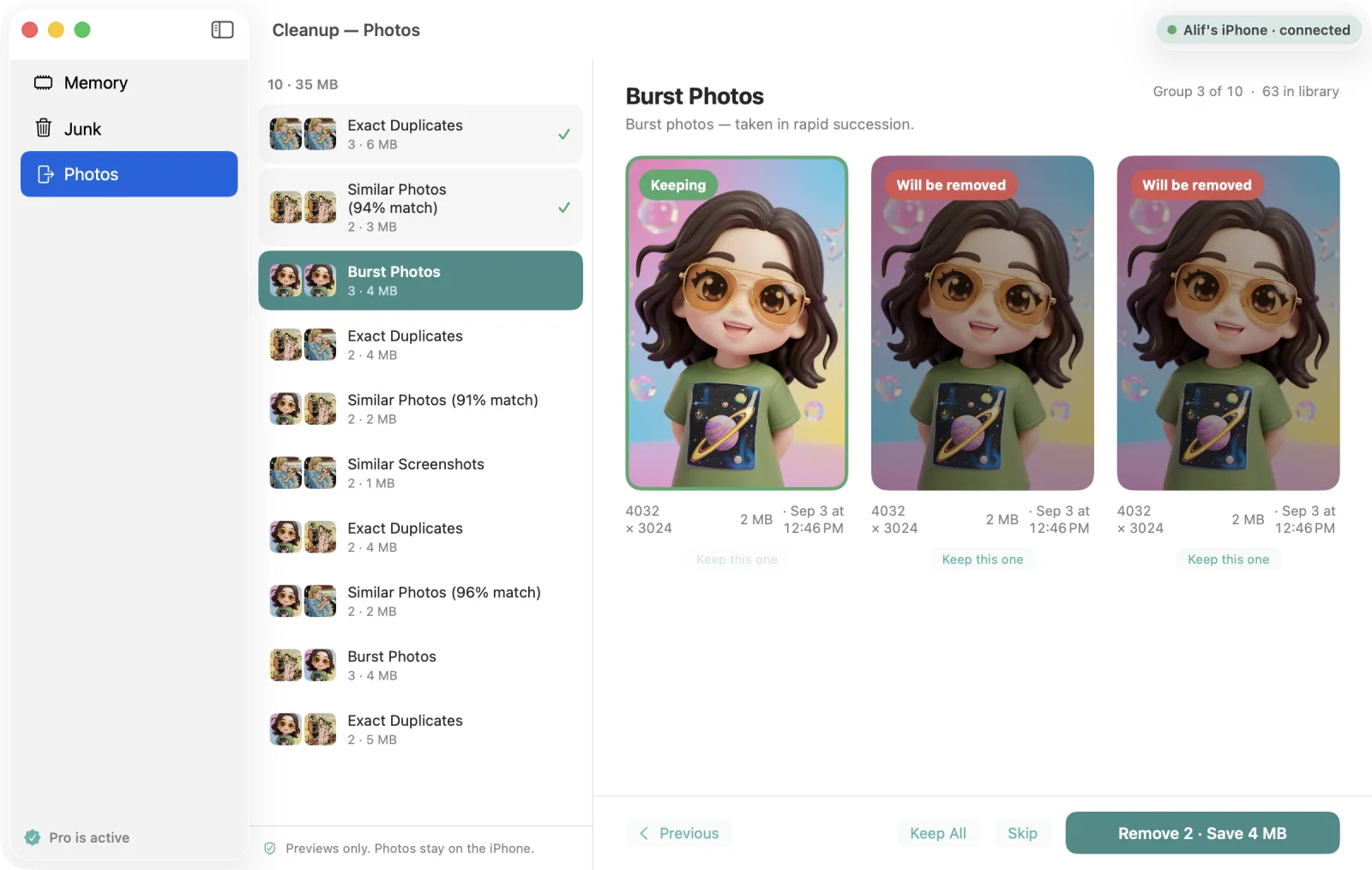
Live memory monitor and one-click RAM free-up — free
Junk and cache cleaning — Pro
Review on your Mac: pair with a code, previews only, photos stay on the iPhone
One purchase unlocks iPhone and Mac, with Family Sharing
Cleanup for Mac runs on macOS 14 or later. Review on your Mac needs both devices on the same Wi‑Fi and Local Network access for Cleanup on the Mac.
More review control than the built-in duplicate tool.
Apple Photos handles exact duplicates. Cleanup goes further with similar photos, bursts, and a calmer review experience.
| Feature | Apple Photos | Cleanup |
|---|---|---|
| Exact duplicate detection | Yes | Yes |
| Similar photo detection | No | Yes |
| Burst group review | No | Yes |
| Focused review flow One group at a time | No | Yes |
| Best photo suggestion By resolution, favorites, recency | No | Yes |
| Small session pacing | No | Yes |
| On-device processing | Yes | Yes |
| Recently Deleted safety net | Yes | Yes |
Common Questions
Does Cleanup upload my photos?
No. All analysis happens on your iPhone. Your photos are never uploaded to any server. The app uses Apple's Vision framework and on-device hashing to find duplicates and similar photos locally.
Does it delete photos permanently?
No. When you confirm a deletion, photos are moved to the Recently Deleted album in Apple Photos. They stay there for 30 days before permanent removal, giving you time to recover anything you change your mind about.
How is this different from Apple Photos?
Apple Photos can detect exact duplicates, but it misses similar photos, burst clutter, and screenshot duplicates. Cleanup uses a 4-stage detection system that finds exact duplicates, near-duplicates, similar shots, and burst groups. It also provides a calmer review flow, one group at a time.
Can I restore photos after deleting them?
Yes. Deleted photos go to the Recently Deleted album in Apple Photos, where they remain for 30 days. You can restore any photo from there at any time within that window.
Is Cleanup free?
Cleanup is free to use with one cleanup session every day (up to 10 groups), including all detection types. Pro unlocks unlimited daily sessions, daily reminders, and junk cleaning on Mac for $9.99 lifetime or $4.99 per year. One purchase covers iPhone and Mac.
What detection types does it use?
Cleanup uses a 4-stage detection pipeline: burst grouping, exact duplicate matching via file hashing, near-duplicate detection, and Vision framework feature prints for visually similar photos.
Do my photos leave my iPhone when I review on the Mac?
No. Review on your Mac sends small previews over your own Wi‑Fi, protected by the code your iPhone shows. The photos themselves stay in the iPhone's library, and every removal is confirmed on the iPhone, where the photos move to Recently Deleted for 30 days.
Clean your photo library without rushing the decision.
Review duplicates and similar photos in calm, small sessions with a built-in recovery safety net.
Free with one cleanup session every day (up to 10 groups). Pro available for unlimited use.