Clean your iPhone photo library without panic
Remove duplicate and similar photos without risking the ones you want to keep.
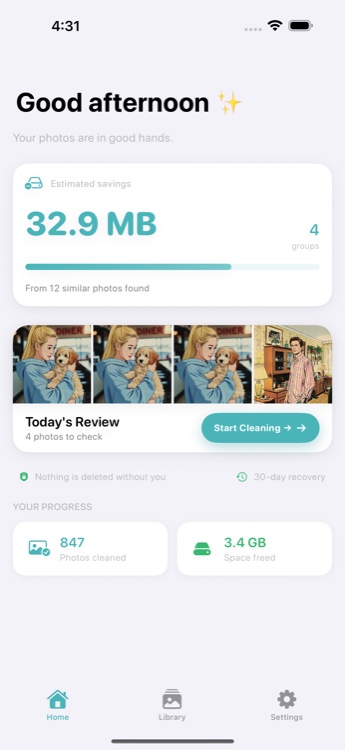
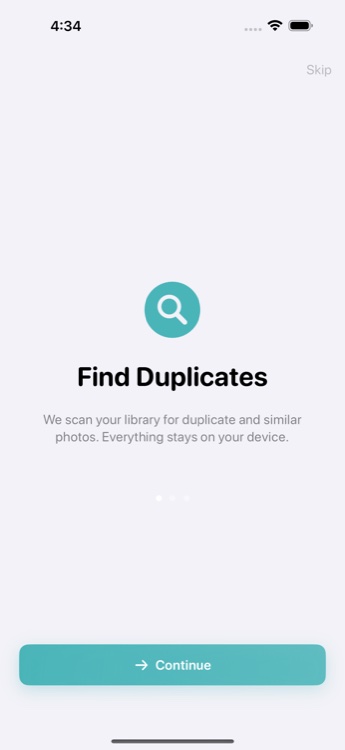
Photo Cleanup helps you review small groups of lookalike photos, keep the best shot, and move the rest to Recently Deleted first. No auto-delete. No photo uploads.
On-device review. One group at a time. Recoverable for 30 days.
On-device
Your photos stay on your iPhone during analysis and review.
No auto-delete
Nothing is removed until you confirm the selection yourself.
30-day recovery
Deleted photos go to Recently Deleted before permanent removal.
Small sessions
Review a few groups at a time instead of facing your whole library at once.
Your camera roll is full of near-misses.
The same moment gets captured three times. Screenshots pile up. Burst shots leave you with five versions of the same photo. Apple Photos can help with exact duplicates, but everyday clutter usually needs a calmer review flow.
Exact duplicates
Multiple copies of the same file taking up space
Similar photos
Five shots of the same moment, slightly different angles
Burst shots
Series captures that leave dozens of near-identical frames
Screenshot clutter
Saved screenshots of recipes, directions, and texts you forgot about
Three steps. No surprises.
A straightforward workflow built around safety and control.
Scan your library
Photo Cleanup finds duplicate and similar photos directly on your device. No upload, no cloud processing.
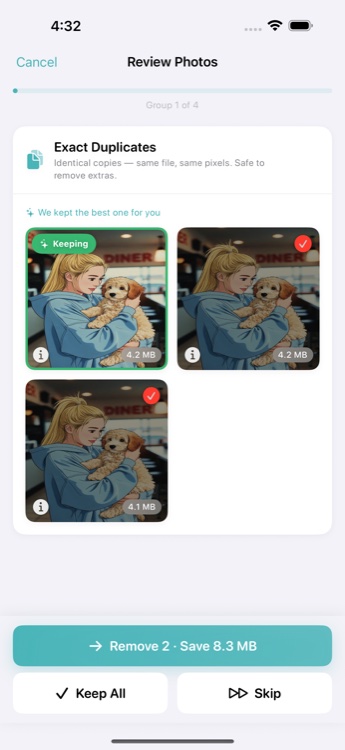
Review one group
You compare a small set of lookalike photos and keep the best one. The app suggests which to keep based on resolution, favorites, and recency.
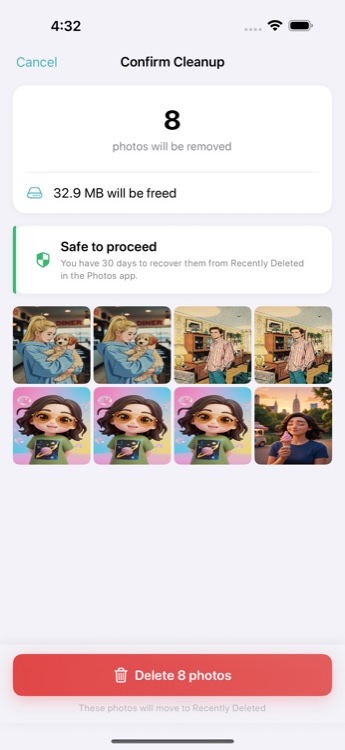
Confirm safely
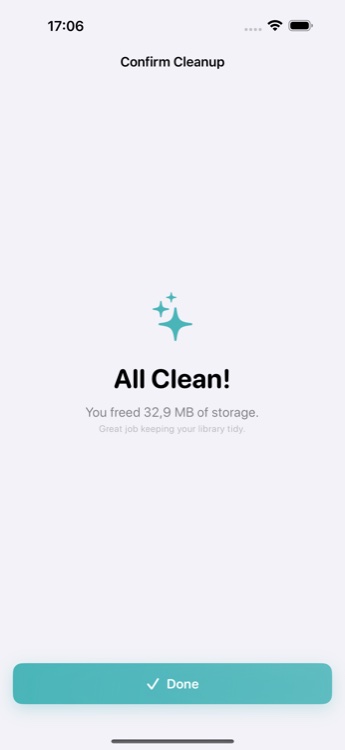
The photos you remove go to Recently Deleted first, so you still have a 30-day recovery window.
Built for people who hesitate before deleting personal photos.
Photo cleanup should not feel reckless. That is why the app slows the process down on purpose: one group at a time, visible choices, and a clear reminder that removed photos are still recoverable in Recently Deleted.
See what is being grouped before you delete anything
Keep control of every decision
Use the 30-day safety net if you change your mind
Capable without being noisy.
Powerful duplicate detection wrapped in a calm, focused experience.
Keep the best shot
Compare duplicates and similar photos side by side so the strongest image is easier to keep.
Stay focused
Work through a few groups at a time instead of being pushed into a giant cleanup sprint.
Designed for trust
Clear safety language and deliberate review flow reduce the stress of deleting memories.
4-stage detection
Burst grouping, exact matching, near-duplicate detection, and Vision feature prints find what Apple Photos misses.
More review control than the built-in duplicate tool.
Apple Photos handles exact duplicates. Photo Cleanup goes further with similar photos, bursts, and a calmer review experience.
| Feature | Apple Photos | Photo Cleanup |
|---|---|---|
| Exact duplicate detection | ||
| Similar photo detection | ||
| Burst group review | ||
| Focused review flow One group at a time | ||
| Best photo suggestion By resolution, favorites, recency | ||
| Small session pacing | ||
| On-device processing | ||
| Recently Deleted safety net |
Common Questions
Does Photo Cleanup upload my photos?
No. All analysis happens on your iPhone. Your photos are never uploaded to any server. The app uses Apple's Vision framework and on-device hashing to find duplicates and similar photos locally.
Does it delete photos permanently?
No. When you confirm a deletion, photos are moved to the Recently Deleted album in Apple Photos. They stay there for 30 days before permanent removal, giving you time to recover anything you change your mind about.
How is this different from Apple Photos?
Apple Photos can detect exact duplicates, but it misses similar photos, burst clutter, and screenshot duplicates. Photo Cleanup uses a 4-stage detection system that finds exact duplicates, near-duplicates, similar shots, and burst groups. It also provides a calmer review flow, one group at a time.
Can I restore photos after deleting them?
Yes. Deleted photos go to the Recently Deleted album in Apple Photos, where they remain for 30 days. You can restore any photo from there at any time within that window.
Is Photo Cleanup free?
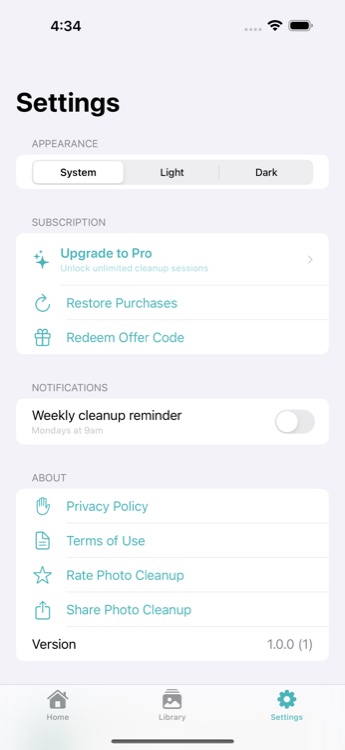
Photo Cleanup is free to use with 3 cleanup sessions per day, including all detection types. Pro unlocks unlimited sessions, cleanup reminders, and session history for $9.99 lifetime or $4.99 per year.
What detection types does it use?
Photo Cleanup uses a 4-stage detection pipeline: burst grouping, exact duplicate matching via file hashing, near-duplicate detection, and Vision framework feature prints for visually similar photos.
Clean your photo library without rushing the decision.
Review duplicates and similar photos in calm, small sessions with a built-in recovery safety net.
Free with 3 sessions per day. Pro available for unlimited use.